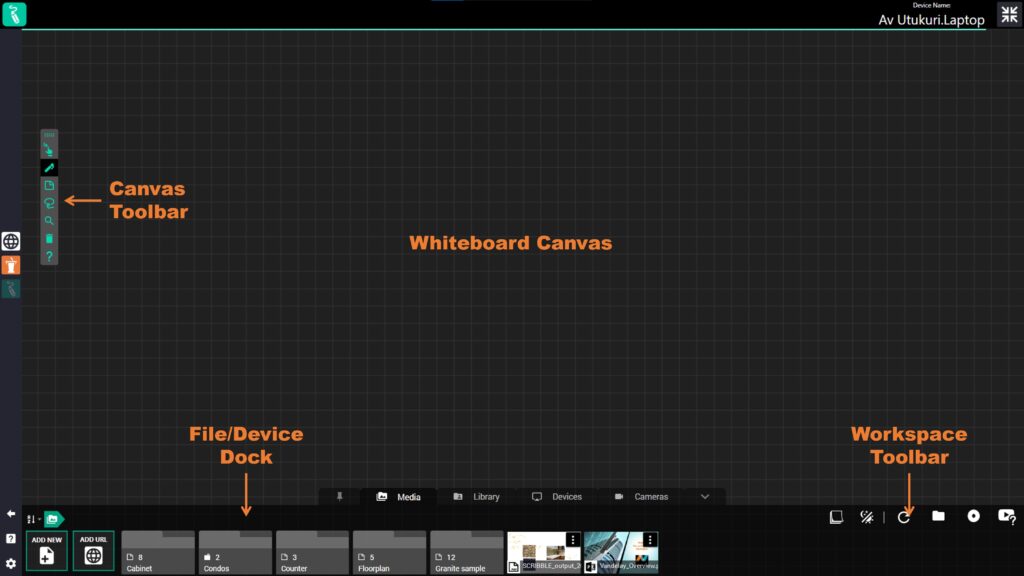
The Reactiv SCRIBBLE workspace consists of a whiteboard, where you pin up your content and create a visual layout during a remote meeting, and the file/device dock at the bottom of the workspace. The file/media dock contains all your content: files, videos, cameras, and devices that you might need for your whiteboard.
The fly-out menu has a number of navigation menus that allow you to switch to Reactiv SCRIBBLE and also exit the workspace.
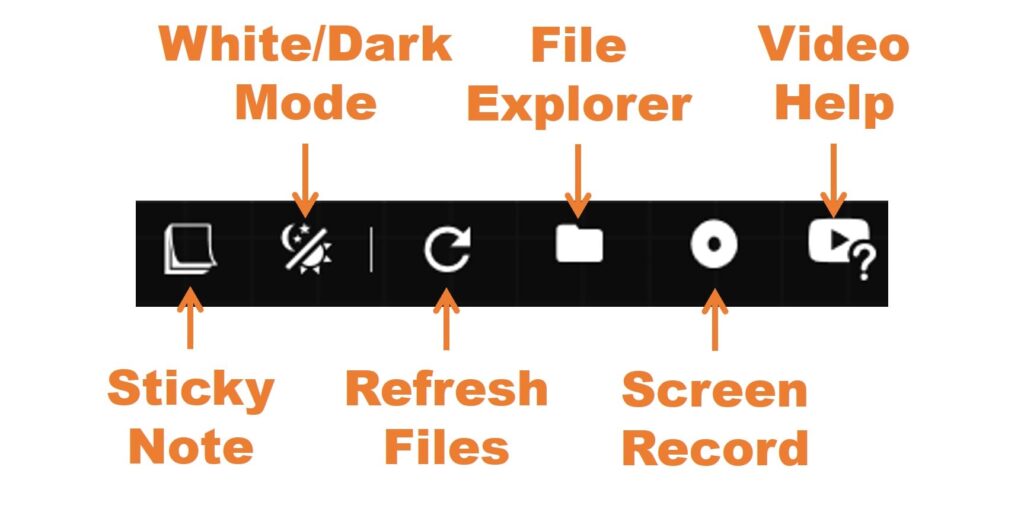
Reactiv SCRIBBLE’s workspace toolbar allows you quick access to common controls.
Sticky Note – Adds a sticky note to the presentation canvas, where you can type or draw.
White/Dark Mode – Switches the whiteboard canvas to from light to dark.
Refresh Folder – Refreshes all the files in the folder, if you added something new or deleted a file it will update the view.
Open Folder – Opens the current folder location – useful for copying or renaming files easily.
Screen Record (CTRL + R) – Opens the screen record menu so you can create professional recordings for sharing and distribution.
Video Help – Shows you all the video tutorials available for the app.